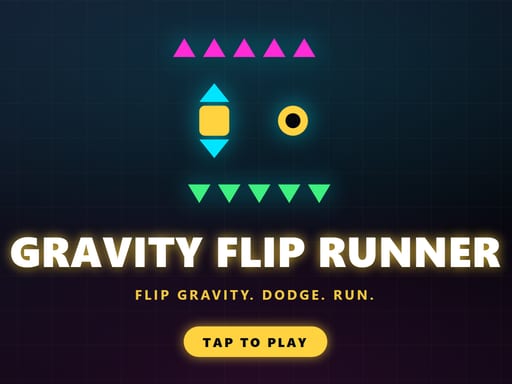
Switch between floor and ceiling to survive the tunnel.
Controls
| Click or tap | Reverse gravity |
|---|---|
| Space | Reverse gravity from the keyboard |
| Esc | Leave a menu |
Loomi’s take
Most runners give you a jump button. This one gives you a gravity switch. Your little glowing runner stays near the left of the screen and the neon tunnel streams toward it. One tap and gravity turns upside down: the runner falls up to the ceiling and keeps going there until you tap again.
Hazards grow from the floor and from the ceiling, but each one only sits on one side. So there’s always a way through. You just have to be on the right side when it arrives, and not too early.
How a run goes
- You’re always stuck to one surface, the floor or the ceiling.
- A tap flips you to the other one, very quickly.
- Spikes, bars and spinning saws appear on either surface. Touching any of them ends the run.
- Coins hover along the safe line, and grabbing them is how you pay for themes.
- The tunnel gets faster the further you go, and changes colour every 200 m.
The obstacles aren’t a simple left-right pattern. Sometimes several come on the same side in a row, sometimes two arrive back to back, and every so often you get a stretch of empty tunnel to catch your breath.
Themes
The default look is Pulse. Coins unlock four more styles for the runner, hazards, coins and tunnel:
| Theme | Coins |
|---|---|
| Cyber | 4,000 |
| Toxic | 8,000 |
| Ember | 15,000 |
| Ghost | 25,000 |
Daily play
- Daily Challenge: a course built from the date, the same for every player that day, with its own record.
- Missions: three goals a day, such as run 500 m in one go, flip gravity 150 times or run 400 m in the Daily. Finish all three for a bonus.
The board and second chances
Every finished run posts its distance in metres to the board under the game, with a weekly table and an all-time one. Classic runs and Daily runs both count. Metres are scaled to the width of your screen, so a phone and a wide monitor cover the same distance in the same time.
When you crash, you may get an offer to watch an ad and carry on from the same spot. Take it and the hazards right in front of you are cleared, you blink for a moment while you find your rhythm, and the run goes on. It works once per run, and “No thanks” ends the run as usual. On the main menu there’s sometimes a second offer: an ad in exchange for double coins on your next run. Both are entirely optional.
Loomi’s strategy notes
- Flip late. Flipping the moment you see a hazard often lands you in front of the next one on the other side. Wait until it’s close.
- Look for chains. If two or three hazards are lined up on the same surface, stay on the opposite side and let them pass. Bouncing back and forth is how runs end.
- Trust the coins. Coin lines nearly always run along the safe path, so when you’re unsure, follow the gold.
- Rest in the gaps. Empty stretches are for resetting your rhythm, not for flipping just for fun.
- Easy missions first. “Flip 60 times” happens on its own over a couple of runs, so spend your focus on the distance goals.
Who it’s for
Players who love reflex games and quick retries. You learn it in one tap, and getting past 800 m takes real concentration. It works on desktop and on phones, in either orientation.
FAQ
Can I jump? No. Tapping switches gravity, which moves you between the floor and the ceiling.
Does it get harder? Yes. Your speed keeps increasing the further you run.
What’s saved? Coins, themes, best distances and mission progress, in your browser on this device.
Game details
| Developer | LoomiPlays Studio |
|---|---|
| Provided by | LoomiPlays Studio |
| Works on | Desktop, tablet and mobile browsers |
| Best orientation | Any |
| Added to LoomiPlays | October 14, 2026 |