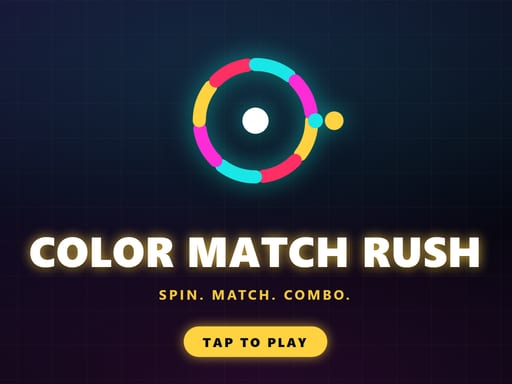
Turn the colour wheel before each dot reaches the gate.
Controls
| Tap or click the left side | Turn the wheel one step anticlockwise |
|---|---|
| Tap or click the right side | Turn the wheel one step clockwise |
| ← → or A D | Turn the wheel from the keyboard |
| Space / Enter | Begin or replay |
| Esc | Leave a menu |
Loomi’s take
This one is colour sorting played against the clock. In the middle of the screen there’s a wheel split into coloured slices. Dots fly in toward a gate sitting above the wheel, and each one only gets through if the slice under the gate is its colour. Your job is to keep turning the wheel so that the right slice is waiting every time.
It starts gently with four colours and slow dots. Then it keeps adding a little more until your thumbs are moving faster than you’re thinking.
How a run goes
- Look at the colour of the next dot.
- Tap the left or right side of the screen to turn the wheel one slice that way.
- When the dot reaches the gate, it slips through if the colours match. That scores a point and grows your combo.
- If the colour is wrong, what happens depends on the mode: the run ends, you lose a life, or time comes off the clock.
How it ramps up
The HUD shows your level, which goes up every ten points, along with a bar to the next level and a hint about what’s coming next.
- Levels 1–2: four colours.
- Level 3: a fifth slice joins the wheel.
- Level 5: the sixth and last colour arrives.
- After that: no new colours, just faster and faster dots.
Modes
- Classic: a single wrong colour finishes the run. This is the score chaser’s mode, and the one that counts for the board.
- Time Attack: you have a minute, and every wrong colour costs you two seconds.
- Survival: three hearts, so you can afford a couple of slips.
- Daily Challenge: a one-minute run whose dot order is fixed by the date, so everyone faces the identical sequence.
Coins, themes and missions
Matches pay coins, and a running streak multiplies them: twice as much from 5 in a row, three times from 10 and five times from 20. Coins unlock wheel themes beyond the default Neon:
| Theme | Coins |
|---|---|
| Pastel | 5,000 |
| Retro 80s | 10,000 |
| Sunset | 15,000 |
| Mono + | 25,000 |
Each day brings three missions, such as score 35 in Classic, reach level 6 or play one Survival run, with a bonus for clearing the set.
The board and second chances
Each finished Classic run sends its score to the board under the game, which keeps a weekly table and an all-time one. Only Classic counts, because it is the one mode where everyone plays by the same endless rules: Time Attack stops at a minute and Survival lets you slip twice. Dots take the same time to reach the gate on any screen, so a phone and a big monitor are on equal terms.
When a Classic or Survival run ends, you may be offered a continue: watch an ad and carry on from your current score with one more life. A fresh dot waits at the edge for a moment before it starts moving, so you have time to get set. It’s offered at most once per run, and “No thanks” simply ends the run. On the mode screen there’s sometimes a second offer, an ad for double coins across your next run. Both are optional, and the game is exactly the same if you skip them.
Loomi’s strategy notes
- Always take the short way. With six slices, no colour is ever more than three steps away. Decide which direction is shorter before you start tapping.
- Memorise the wheel. The slices always sit in the same order. Once you know which colour sits next to which, you can stop looking at the wheel and just watch the dots.
- Practise in Survival. The three hearts let you get used to the level 5+ speeds without losing the whole run to one slip.
- In Time Attack, calm wins. A miss costs two seconds, and one careful tap never takes that long.
Who it’s for
Anyone who likes quick reflex games with a bit of thinking. It’s also a nice focus warm-up: matching colours under time pressure trains attention and reaction time. Younger players get it right away, and the later levels are a real test for adults. Any screen orientation is fine, with touch or keys.
FAQ
How do I turn the wheel? Tap on the left side to turn one way and on the right side to turn the other. On a keyboard, use the arrows or A and D.
When do new colours appear? At levels 3 and 5. After that only the speed goes up.
Is progress saved? Yes. Coins, themes, records and missions are kept in your browser on this device.
Game details
| Developer | LoomiPlays Studio |
|---|---|
| Provided by | LoomiPlays Studio |
| Works on | Desktop, tablet and mobile browsers |
| Best orientation | Any |
| Added to LoomiPlays | October 14, 2026 |